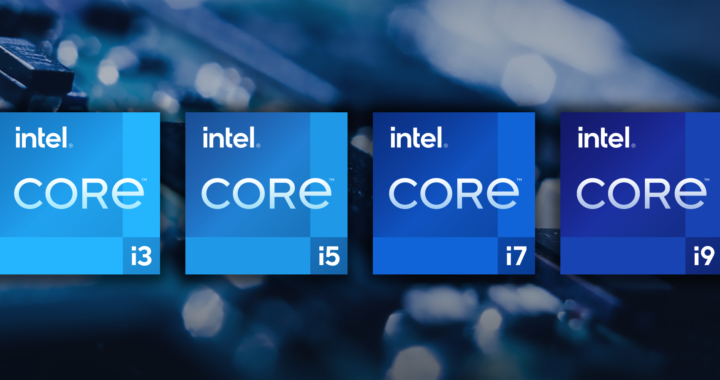
If your computer could speak, it might sigh every time someone asks:
“Which processor should I buy? i3, i5, i7, or i9?”
Processors, also called CPUs (Central Processing Units), are the brains of your computer. They handle every calculation, task, and instruction your computer needs to perform.
Intel has been a leader in processor manufacturing for decades, and its Core series — i3, i5, i7, i9 — is among the most recognized names in the PC world.
But what do these names really mean? Are they just marketing, or do they indicate real differences?
Let’s dive deep.
What is a CPU?
Before understanding the differences between i3, i5, i7, and i9, we need to understand what a CPU actually does.
A CPU is like the brain of a computer. Everything from opening a browser, running Photoshop, or playing a game relies on the CPU to process instructions quickly and accurately.
Think of it as a manager in a busy office:
-
The CPU receives tasks from software and decides how to process them.
-
It coordinates other components like RAM (memory), storage, and GPU (graphics card).
-
It executes calculations that make applications, games, and operating systems run smoothly.
Key metrics to understand about CPUs:
-
Cores: Think of cores as individual workers in the CPU. The more cores, the more tasks it can handle simultaneously.
-
Threads: Threads are virtual workers that allow each core to handle multiple tasks at once. Intel uses a technology called Hyper-Threading to increase threads per core.
-
Clock Speed: Measured in GHz, this indicates how fast a CPU can execute instructions. Higher clock speeds mean faster processing, but it’s not the only factor.
-
Cache: A small, super-fast memory inside the CPU that stores frequently used data for quick access.
-
TDP (Thermal Design Power): Indicates how much heat the CPU generates and helps in choosing cooling solutions.
With this foundation, let’s look at Intel Core series.
Intel Core i3 – The Entry-Level Performer
The i3 is Intel’s budget-friendly, entry-level CPU. It’s perfect for everyday computing like browsing, streaming, or office work.
Key Features of i3
-
Usually 2 to 4 cores (older generations), 4 cores in newer ones
-
4 to 8 threads
-
Moderate clock speeds (3.0 GHz to 4.5 GHz depending on generation)
-
Hyper-Threading enabled in newer generations
-
Less cache (4MB to 8MB)
Best For:
-
Office work: Word, Excel, PowerPoint
-
Web browsing, social media
-
Watching videos in HD or 4K
-
Light gaming (older or less demanding titles)
Limitations:
-
Not ideal for heavy multitasking
-
Struggles with modern AAA games
-
Video editing and 3D rendering will be slow
Example Use Case
Imagine a student who wants to:
-
Browse Chrome with 10 tabs open
-
Watch YouTube
-
Take notes in Word
An i3 can handle this easily without lag. But if they try editing a 4K video while streaming, the CPU might sweat.
Intel Core i5 – The Mid-Range All-Rounder
If i3 is the student, i5 is the professional worker. It can do more, handle more tasks, and perform better under pressure.
Key Features of i5
-
4 to 6 cores in older generations, 6 to 10 in newer ones
-
6 to 12 threads thanks to Hyper-Threading (depending on generation)
-
Higher clock speeds than i3 (3.5 GHz to 5.0 GHz)
-
More cache (8MB to 12MB)
-
Usually unlocked for overclocking in “K” variants
Best For:
-
Moderate gaming
-
Video editing and photo editing
-
Programming and software development
-
Multitasking multiple applications
Limitations:
-
Struggles with extreme multitasking compared to i7 or i9
-
High-end gaming and professional rendering may require more cores
Example Use Case
A casual gamer wants to:
-
Play Fortnite or Minecraft at high settings
-
Keep Discord, Spotify, and Chrome open simultaneously
An i5 will handle this comfortably without bottlenecks. It’s also popular in office laptops and mid-range desktops because it balances price and performance.
Intel Core i7 – The High-Performance Powerhouse
The i7 is Intel’s performance-focused CPU. It’s designed for power users who need fast processing and multitasking capabilities.
Key Features of i7
-
6 to 8 cores in older generations, 8 to 12 in newer ones
-
12 to 20 threads with Hyper-Threading
-
High base and boost clock speeds (3.6 GHz to 5.5 GHz)
-
Large cache (12MB to 16MB)
-
Often unlocked for overclocking in desktops
Best For:
-
AAA gaming at high graphics settings
-
Video editing and 3D rendering
-
Running virtual machines or heavy multitasking
-
Creative professionals and software developers
Limitations:
-
Higher power consumption
-
Expensive compared to i5
-
Overkill for casual users
Example Use Case
A content creator who wants to:
-
Edit 4K video in Adobe Premiere
-
Use After Effects for motion graphics
-
Stream gameplay simultaneously
An i7 can handle all of these tasks without noticeable lag. It’s fast, capable, and future-proof for several years.
Intel Core i9 – The Ultimate CPU Beast
If i7 is a professional, i9 is the CEO of performance. It’s built for extreme multitasking, gaming at max settings, and professional workloads like 3D rendering, AI training, and high-end simulations.
Key Features of i9
-
8 to 18 cores depending on generation
-
16 to 36 threads with Hyper-Threading
-
Extremely high clock speeds (up to 5.8 GHz boost in some models)
-
Large cache (16MB to 24MB+)
-
Overclockable (for desktop “K” variants)
Best For:
-
Enthusiast gaming with max FPS
-
Professional video production
-
3D rendering and animation
-
AI/ML processing and simulations
-
Running multiple virtual machines
Limitations:
-
Expensive (often over $500–$1000 for desktops)
-
Higher power consumption, may require better cooling
-
Overkill for casual tasks
Example Use Case
A professional video editor or game streamer:
-
Rendering multiple 4K videos simultaneously
-
Live-streaming in high resolution
-
Running Photoshop, Premiere, and multiple background apps
An i9 handles these seamlessly, making it ideal for power users who demand maximum performance.
Generational Differences Matter
Intel’s CPUs are divided into generations (e.g., 10th Gen, 11th Gen, 12th Gen, 13th Gen).
-
Newer generations improve architecture, performance, and power efficiency.
-
Intel 12th Gen and 13th Gen CPUs use hybrid architecture: Performance cores (P-cores) + Efficiency cores (E-cores).
-
This hybrid design allows CPUs to balance high performance and energy efficiency.
For example:
-
An i5 10th Gen: 6 cores, 6 threads
-
An i5 12th Gen: 10 cores, 16 threads (6 P-cores + 4 E-cores)
Generational upgrades often provide faster clock speeds, better multitasking, and improved integrated graphics, even without changing the i3/i5/i7/i9 designation.
i3 vs i5 vs i7 vs i9 – Quick Comparison Table
| Feature | i3 | i5 | i7 | i9 |
|---|---|---|---|---|
| Cores (Latest Gen) | 4–6 | 6–10 | 8–12 | 8–18 |
| Threads | 4–8 | 6–16 | 12–20 | 16–36 |
| Clock Speed | 3.0–4.5 GHz | 3.5–5.0 GHz | 3.6–5.5 GHz | 3.8–5.8 GHz |
| Cache | 4–8 MB | 8–12 MB | 12–16 MB | 16–24 MB+ |
| Best For | Office, Browsing | Gaming, Mid-Range Tasks | Gaming, Editing, Multitasking | Extreme Gaming, Professional Workloads |
| Price | Low | Mid | High | Very High |
Which CPU Should You Choose?
Choosing the right CPU depends on your needs, budget, and future plans.
1. For Everyday Users
-
Browsing, streaming, office work
-
Choose i3
-
Affordable and energy-efficient
2. For Casual Gamers / Productivity
-
Moderate gaming, multitasking, content consumption
-
Choose i5
-
Good balance of price and performance
3. For Power Users
-
Video editing, programming, heavy multitasking
-
Choose i7
-
Offers high performance without being overkill
4. For Enthusiasts / Professionals
-
4K gaming, 3D rendering, AI development
-
Choose i9
-
Top-tier performance, premium pricing
Other Factors to Consider
-
Integrated Graphics vs Dedicated GPU
-
i3/i5/i7/i9 may come with Intel’s integrated GPU (e.g., Intel UHD or Iris Xe)
-
For gaming or 3D work, a dedicated GPU is recommended
-
Laptop vs Desktop
-
Laptop CPUs often have lower TDP for battery life
-
Desktop CPUs are more powerful, but consume more energy
-
Overclocking
-
K-series CPUs (e.g., i7-12700K) can be overclocked for extra performance
-
Non-K CPUs are locked
-
Future-Proofing
-
i5 or i7 from the latest generation can handle most tasks for years
-
i9 is usually for users who need extreme multitasking or professional workloads
Conclusion
Intel i3, i5, i7, and i9 processors are designed to cater to different needs.
-
i3 – Everyday tasks, budget-friendly, efficient
-
i5 – Mid-range, gaming, multitasking, versatile
-
i7 – High performance, creative work, heavy multitasking
-
i9 – Extreme performance, professional workloads, enthusiasts
Your choice should depend on:
-
Your workload – Are you gaming, editing videos, or browsing?
-
Your budget – i9s are expensive; i3s are cheap.
-
Future-proofing – Will you upgrade soon?
Understanding these differences ensures that you buy the right CPU for your needs, without overspending or underperforming.
Remember: The CPU is the heart of your PC, and choosing wisely can make your computer faster, smoother, and longer-lasting.
Whether you’re a student, gamer, creator, or professional, there’s an Intel processor for you.

0 Comments